AI agents and bots
Agents
Connect the tools your team already uses, including MCP-based connections, so the right context flows into Wyatt — the AI workspace for your team’s docs, tasks, and data — where the built-in AI assistant can work across it.
1
connected workspace for docs, tasks, chat, and data
6+
content types Wyatt searches and acts across
0
copy-paste steps between your notes and your answers
24/7
ready whenever the question comes up
What you can do with Wyatt
Connect your stack
Bring context from the tools your team already relies on.
MCP connections
Use Model Context Protocol connections to extend what Wyatt can reach.
AI-ready context
Connected data becomes context the assistant can use.
Fewer silos
Reduce copy-paste between disconnected apps.
Work lives in many apps. Integrations let you connect the tools your team already uses to Wyatt, so the context you need is available in one workspace instead of scattered across tabs.

Wyatt supports Model Context Protocol (MCP) connections, a standard way to give AI access to external tools and data. That means the assistant can reach more of your stack in a consistent, well-defined way.
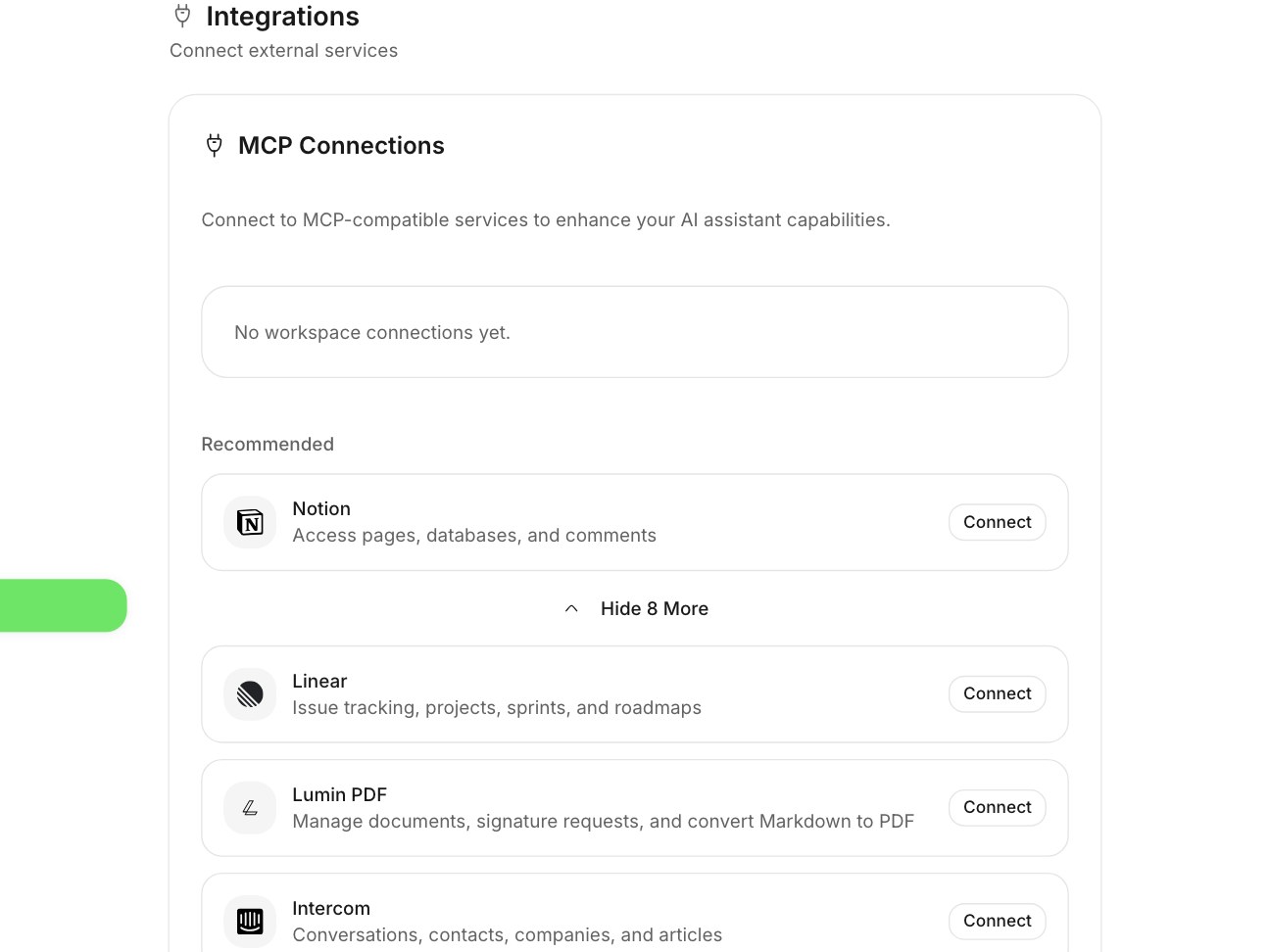
Once a tool is connected, its context becomes something the assistant can draw on. Answers and actions get richer because they reflect more of your real working environment.

Integrations cut down on shuffling information between disconnected apps. The workspace becomes the place where context comes together, even when the data originates elsewhere.
As your toolset changes, connections can be added and adjusted, so Wyatt keeps reflecting how your team actually works.

One connected workspace for docs, tasks, chat, and databases — with Wyatt answering from all of it.
“Ask a question, get an answer grounded in your team's actual work — then turn it into action.”
You can connect the tools your team already uses so their context flows into one workspace, including MCP-based connections.
Model Context Protocol (MCP) is a standard way to give AI access to external tools and data; Wyatt supports MCP connections to extend what the assistant can reach.
Connected context becomes something the assistant can draw on, making its answers and actions richer and more grounded.
They cut down on copy-pasting between disconnected apps by bringing context together in one workspace.